This past year, I have been lucky enough to have stumbled onto a lot of python automation work. Fortunately, I like to be the one to automate processes for my team, whether it be Jenkins pipelines, bash scripts, or (now) Python scripts to handle various tasks.
Coming from a past web-dev background, whenever I'm building CLI apps (in python) I find the lack of syntactic colors, loading spinners, and in general "prettiness" disheartening. Not only do these features improve the readability of output, it more importantly reduces the cognitive load of its users.
That is why I'm exploring the Rich Python library, below I outline some basic features I think are most useful, hopefully I've captured the 20% that leads to 80% of results.
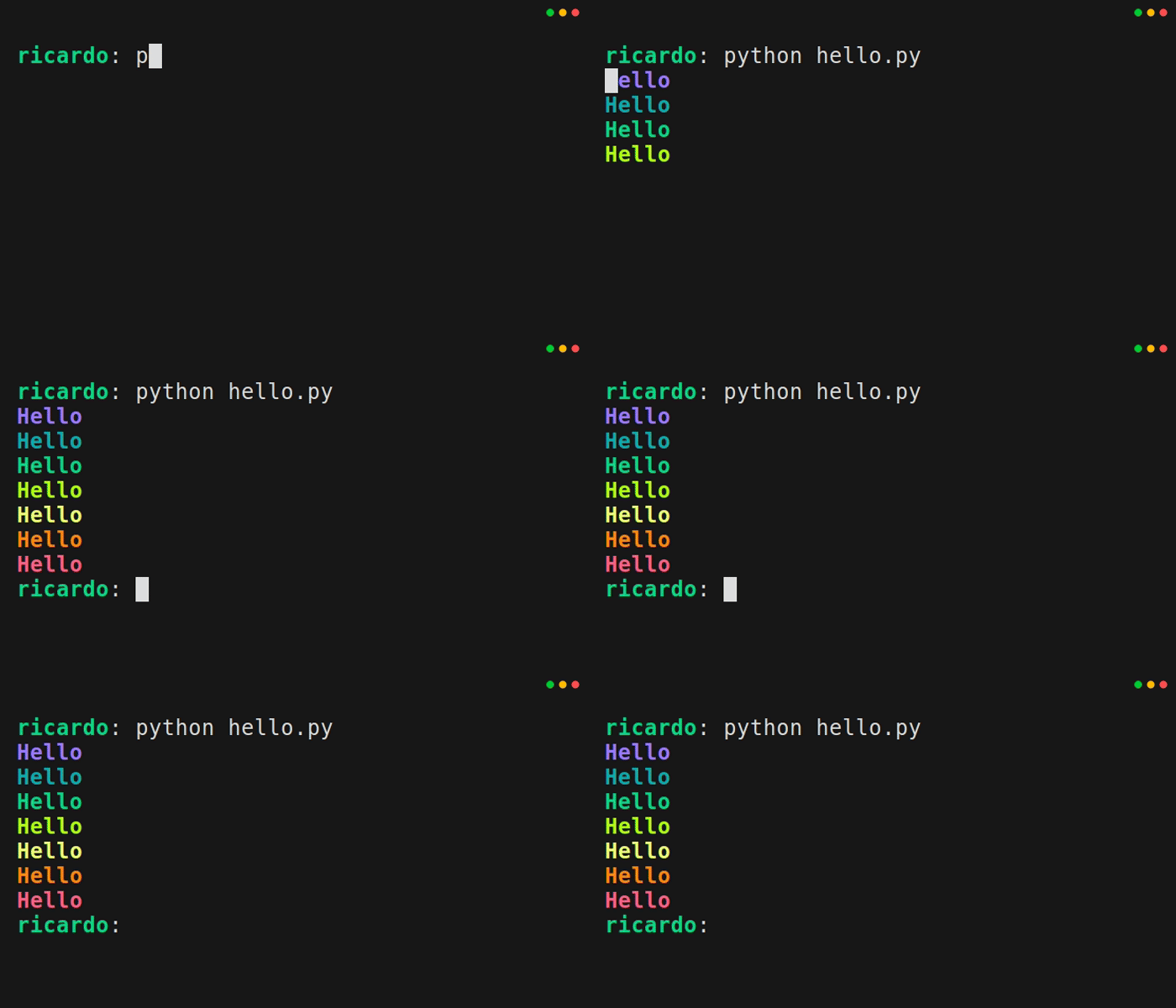
Printing Colors
Supported Colors: https://rich.readthedocs.io/en/latest/appendix/colors.html#appendix-colors
from rich.console import Console

console = Console()

console.print("Hello", style="bold blue")
console.print("Hello", style="bold light_sea_green")
console.print("Hello", style="bold green")
console.print("Hello", style="bold green_yellow")
console.print("Hello", style="bold yellow")
console.print("Hello", style="bold dark_orange")
console.print("Hello", style="bold red")
Printing Tables
from rich.console import Console
from rich.table import Table

table = Table(title="Company APIS")

table.add_column("API Name",  style="cyan")
table.add_column("Version", style="magenta")
table.add_column("Last Modified", style="green")

table.add_row("target-groceries", "1.0.2", "12-13-2024")
table.add_row("petco-vets", "2.1.4", "12-13-2024")
table.add_row("payless-shoes", "1.5.1", "12-13-2024")
table.add_row("publix-groceries", "2.0.0", "12-13-2024")

console = Console()
console.print(table)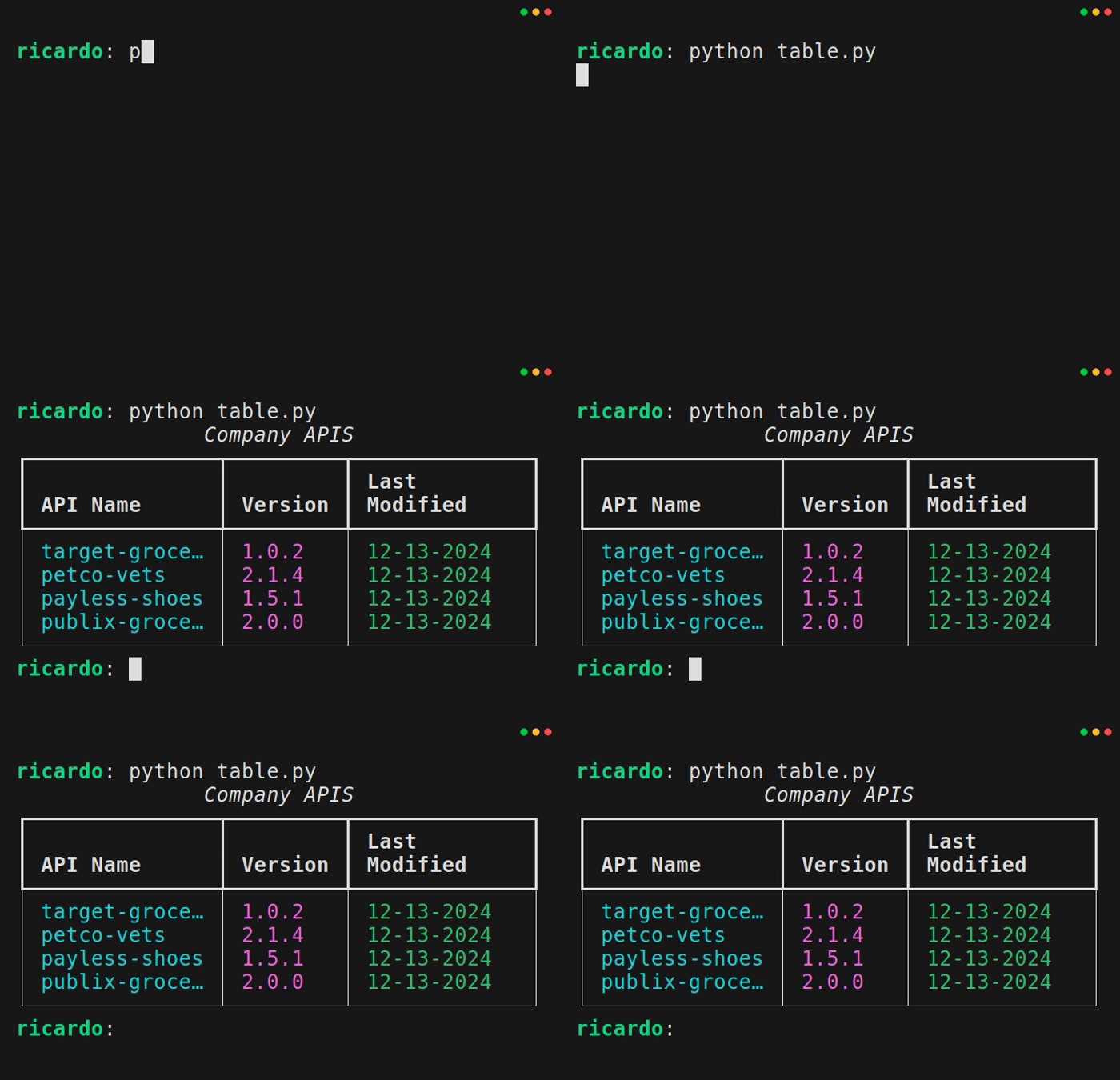
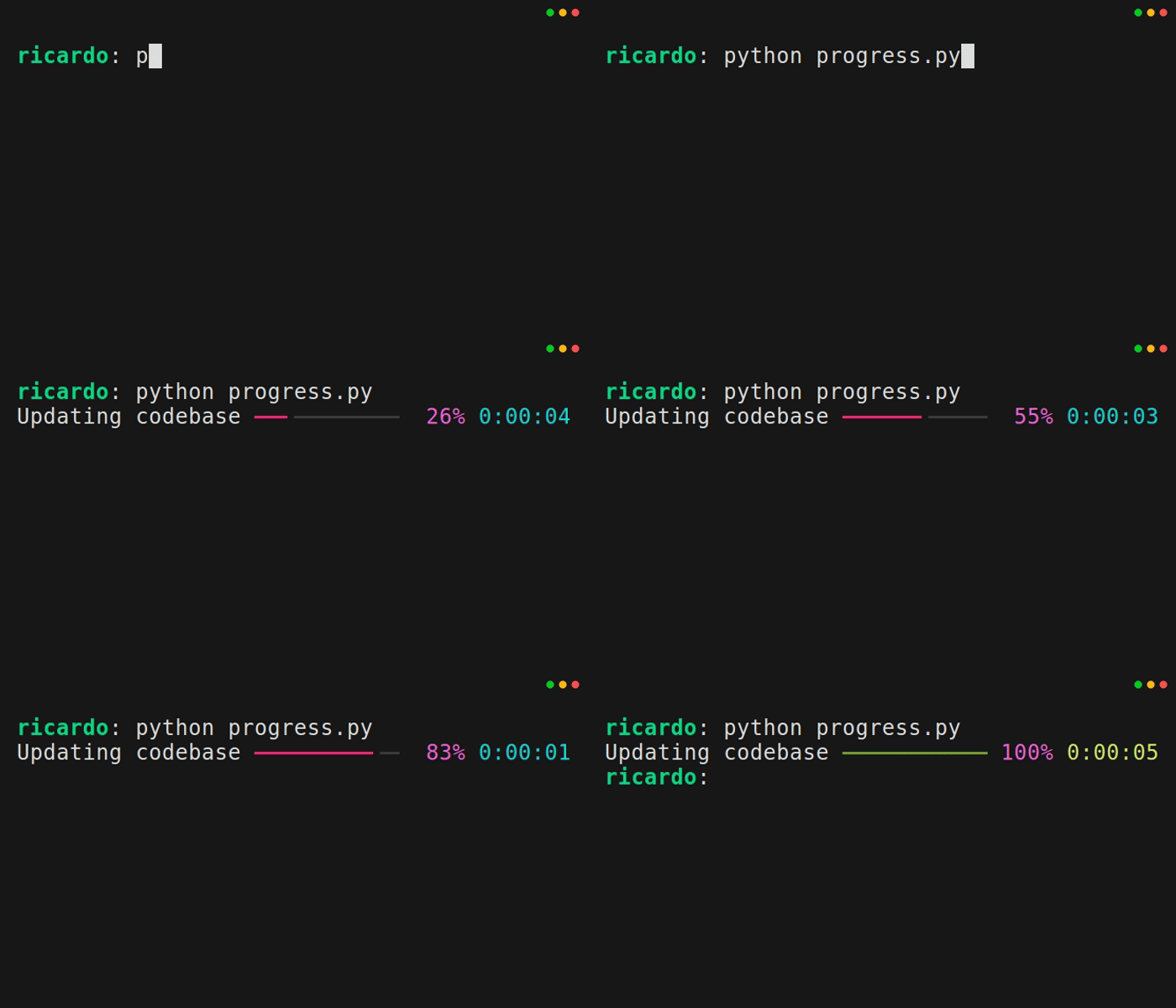
Basic Progress Bar
Per documentation:
the default will display a description of the ‘task’, a progress bar, percentage complete, and estimated time remaining
from rich.progress import track
import time

for step in track(range(100), description="Updating codebase"):
    # Some computation/task
    time.sleep(.05)